
Mobile showroom decision memo · Source review October 27, 2026
Build the electrical brief around named showroom operating cases. Each case should state which display, media, lighting, charging, connectivity and demonstration loads run at the same time, where the power comes from and what the operator does when that source is unavailable. Give the resulting matrix and every available equipment cut sheet to the qualified electrical designer and final builder before walls, outlets, ventilation and equipment mounts are released.
This page is a buyer decision memo. It does not calculate branch circuits, conductor sizes, protection, grounding, generator capacity or battery runtime. Those decisions depend on the actual equipment, supply, installation, operating locations and applicable requirements.
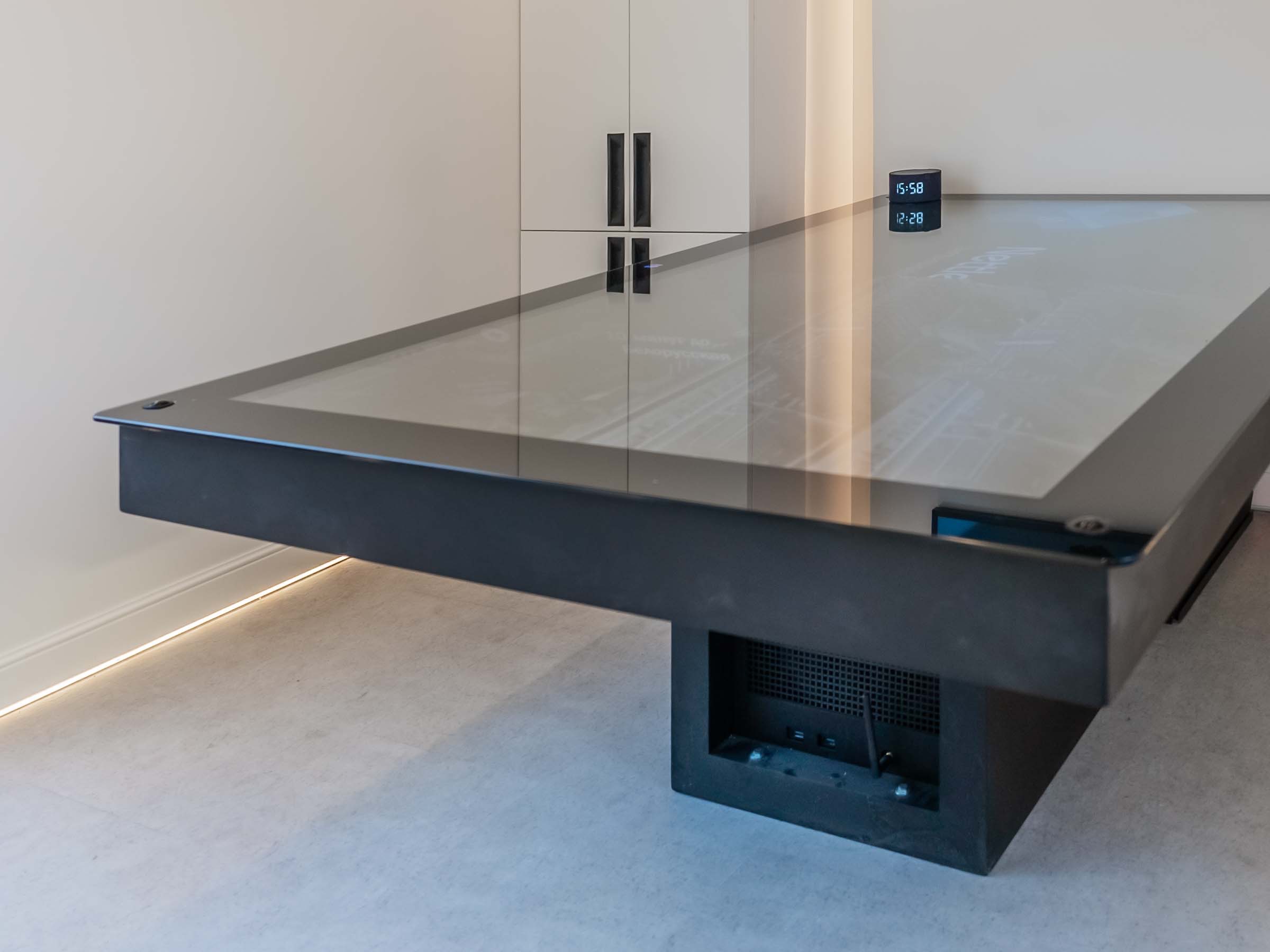
The two photographs are owner-approved views of an MT-8 Glorax mobile sales-office interior. They show a wall-mounted display, meeting table, seating, linear lighting and visible receptacles. The images do not reveal circuit ratings, concealed wiring, mounting reinforcement, ventilation clearances, completed vehicle condition or approval status.
01The decision to make before layout release
Name the demonstrations the unit must perform. "One screen and some outlets" leaves the design team guessing about simultaneous use, source equipment, charging, sound, lighting, HVAC, network hardware and owner-supplied products.
Use one row for each real operating case. Keep future ideas in a separate row marked OPTION — not released. A qualified designer can review a bounded set of cases. An open-ended list of possible equipment cannot support a final circuit or supply decision.
| Operating case | Equipment expected to run together | Information the buyer must supply | Acceptance evidence |
|---|---|---|---|
| Welcome and consultation | Display, media source, room lighting, network equipment and staff device charging | Exact models, mounting locations, cable paths and expected session length | Content starts from the operator position; the screen, network and charging points remain usable during the planned session |
| Product presentation | Display, audio, demonstration product, task lighting and presentation device | Product cut sheet, normal and startup input data, connection type, heat or ventilation requirement and operator sequence | The full presentation runs with the contracted equipment and no undocumented extension or adapter |
| Bright-day customer visit | Display, lighting and environmental systems needed for the glazed interior | Viewing position, glare review, selected display data, shade condition and cooling case | The buyer accepts the image, sound and room condition from the planned customer positions |
| Reset and closeout | Cleaning equipment, device charging, content update hardware, security devices and required environmental loads | Closeout sequence, simultaneous charging count, storage position and staff access | Staff complete the documented closeout without moving fixed equipment or opening concealed service areas |
| Approved fallback | Only the loads designated for the contracted backup source | Priority list, shutdown order, restart sequence and the actual backup-source design | The operator demonstrates the fallback and recovery procedure under the agreed test conditions |
The matrix is a communication record, not a demand-factor calculation. The electrical designer decides how the cases affect connected load, demand, circuiting, protection and source selection.
02Read the MT-8 photograph as an intake record
The hero view establishes several useful facts for intake. A display is mounted on the end wall. The table creates a seated viewing position. Linear lighting runs through the meeting zone. Receptacles are visible below the table, and a countertop appliance appears in the foreground.
Those observations start the questions. They do not answer them. The project file still needs the display model, media source, outlet and circuit schedule, appliance data, cable route, mounting detail, ventilation guidance, lighting controls and the operating cases in which these items run together.
The photograph also shows why the AV discussion belongs in the layout review. Screen height, chair position, daylight through the glazing, table depth and staff access affect the presentation before anyone selects a power source. Record the viewing and operating positions on the current plan.
03Build one equipment register
Keep the AV register and electrical load schedule connected by stable equipment IDs. The brand team may own content and devices, while the final builder owns installed wiring and mounting work. A shared ID lets both groups discuss the same item.
| Register field | What to record | Release condition |
|---|---|---|
| Equipment ID and owner | Stable tag plus the company supplying, configuring and supporting the item | One named owner is responsible for the current record |
| Manufacturer and model | Exact model, revision and supplied accessories | A current cut sheet or nameplate photograph is attached |
| Input data | Voltage, frequency, rated input and any documented startup or power-supply requirement | The qualified designer has reviewed the manufacturer data |
| Operating cases | Every matrix row in which the item is active | Simultaneous use is explicit rather than assumed |
| Physical interface | Location, dimensions, mass, mount, reinforcement, cable entry, ventilation and service access | The responsible builder and integrator accept the interface |
| Signal and network | Source, connector, cable type, network dependence, account owner and offline behavior | The operator can identify the normal path and the fallback |
| Travel state | Installed or removed condition, accessory storage and restart check | The fixture schedule and AV register agree |
| Acceptance record | Test case, result, open item, reviewer and dated evidence | The released item matches the installed and tested item |
Do not fill a missing rating with an estimate from a similar product. Mark the field TBD, name the owner and set the date by which the exact record must reach the designer.
04Coordinate power, signal and the wall at the same review
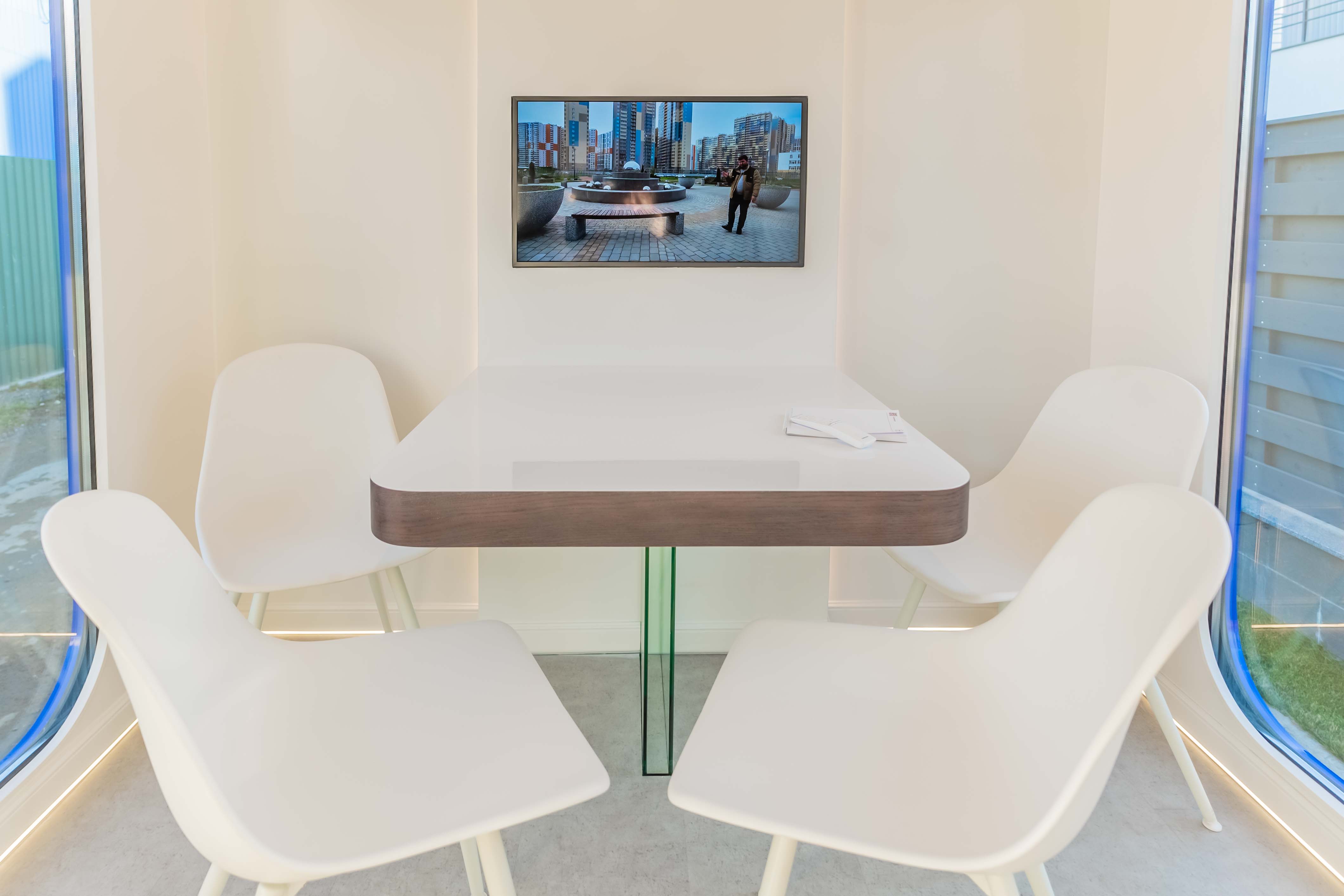
The front view shows the relationship between the display and the consultation table. It also hides the interfaces that cause late changes: the cable path, backing or frame connection, receptacle position behind equipment, access for replacement and any ventilation space required by the selected devices.
Close these items together:
- Screen and bracket dimensions, mass, fastener pattern and required supporting structure.
- Power entry, signal entry, cable separation and the service path for replacement.
- Media source, control device, network hardware and where staff can reach resets.
- Audio equipment, microphones or demonstration devices included in the current scope.
- Heat, airflow and clearance instructions from each selected manufacturer.
- Finished-wall opening and trim responsibility when another vendor supplies the AV equipment.
If the screen model is still changing, hold the wall interface. The final builder can reserve a documented zone, but a generic screen allowance should not become an assumed mounting or electrical approval.
05Choose the supply after the operating cases are real
Record the available shore connection and site limits for each planned operating location. If a generator, battery system, inverter or other backup is being considered, add its design and operating constraints to the same project file. The qualified electrical designer and applicable authorities determine the required system, protection and installation for the actual unit and sites.
The buyer still has four decisions to make before that technical work closes:
- Which operating cases must run on the normal source?
- Which equipment, if any, must remain available on the contracted fallback source?
- What shutdown and restart sequence can the operator follow without technical support?
- Which party supplies, installs, tests, documents and warrants each source and distribution component?
Keep environmental loads visible. A display demonstration that works only when lighting or climate equipment is omitted from the matrix is not an accepted operating case. Give the designer the complete concurrent condition.
06Test the showroom with the presentation script
Acceptance should reproduce the buyer's real presentation instead of stopping after a screen powers on. Use the released equipment list and current operating-case matrix.
| Test | Operator action | Record to keep |
|---|---|---|
| Startup | Connect the approved source and start equipment in the documented order | Source condition, equipment IDs, sequence, result and open items |
| Customer presentation | Run the actual content and demonstration from each planned customer position | Display, audio, control, glare and staff-access observations |
| Concurrent operation | Run every item assigned to that operating case for its planned duration | Tested case, equipment active, reviewer, exceptions and corrective action |
| Connectivity loss | Follow the documented offline or backup-content procedure | Recovery steps, account or device owner and unresolved dependency |
| Contracted fallback | Transfer only the approved priority loads using the designed procedure | Source used, priority loads, shutdown and restart result |
| Service access | Reach controls, replaceable devices and required connection points | Access result, interference, tool or clearance issue and responsible owner |
| Closeout | Shut down, secure accessories, store devices and prepare the AV package for travel | Completed closeout record and travel-state photographs |
Record the equipment models and configuration used during the test. Reopen the affected matrix row when a display, demonstration product, source device or power component changes after acceptance.
07Assign the shell, rolling-shell and final-build work
MOBITRUCK prepares the contracted shell system at its manufacturing operation in Estonia. In the current U.S. path, Concession Nation assembles the rolling shell and, within its signed scope, assigns the American VIN and performs the applicable vehicle-certification work for its stage. Concession Nation or another qualified U.S. builder may complete the showroom interior under a separate scope.
The proposal, unit records and actual handoff condition control the parties and duties for a specific trailer. Under 49 CFR Parts 567 and 568, vehicle certification and multi-stage duties follow the regulated roles and completed work; an AV vendor name or commercial handoff label does not decide those duties.
The responsibility matrix should name the party for equipment selection, load data, electrical design, branch circuits, source equipment, wall reinforcement, AV installation, network accounts, programming, testing, training, documentation and warranty. When the buyer supplies a display or demonstration product, its complete data must arrive before the affected interface is released.
08Send a reviewable showroom packet
Send the operating-case matrix, equipment register, cut sheets, nameplate photographs, marked-up plan, viewing positions, site-power assumptions, fallback priorities, responsibility matrix and acceptance script. Identify owner-supplied items and the date each record will be final.
Use the mobile retail planning guide for the broader customer visit and inventory brief. Pair this memo with the fixture and travel-restraint schedule so screens, source devices and accessories have documented travel states. Review the shell, rolling-shell and turnkey comparison before assigning final-build work.
Request a mobile showroom project review with the matrix and current equipment records attached. The team can then discuss the shell platform and handoff while the qualified designer and final builder close the actual AV and electrical scope.
09Sources checked October 27, 2026
- MOBITRUCK mobile retail trailers — current mobile store, showroom, launch-space, merchandising and display-lighting context; checked October 27, 2026.
- MOBITRUCK manufacturing — current Estonia shell-system and U.S. rolling-shell / final-completion responsibility sequence; checked October 27, 2026.
- 49 CFR Part 567 — Certification — federal vehicle-certification framework; checked October 27, 2026.
- 49 CFR Part 568 — Vehicles Manufactured in Two or More Stages — regulated multi-stage manufacturer roles and documentation framework; checked October 27, 2026.
 Release tool
 Buyer guide