
Office systems · Source review November 16, 2026
Who can restore the office network if it goes down on opening day? Put that person's name and the account owner in the project file before equipment is ordered. Apply the same rule to external power: give the site supply, the office connection and the activation check their own entries.
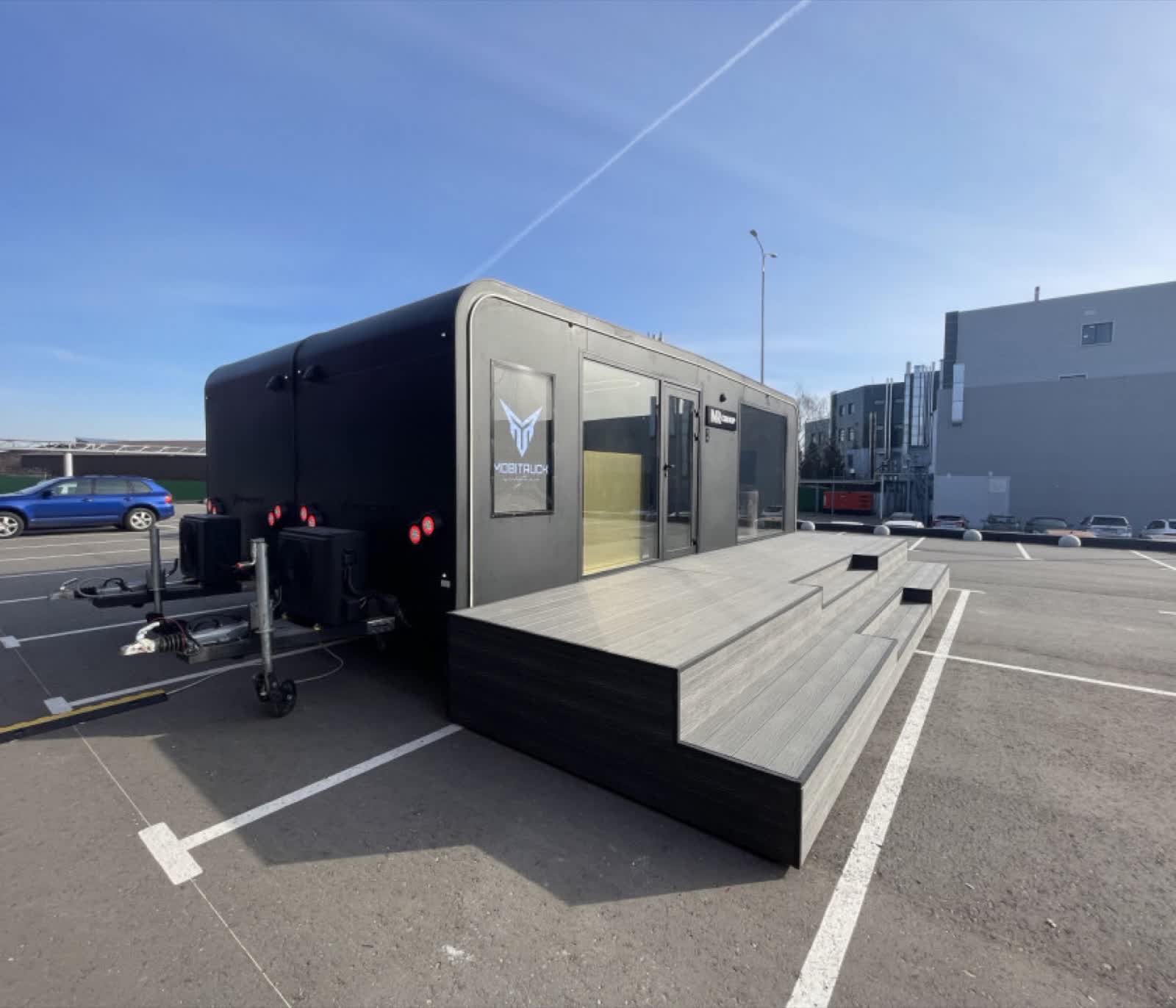
The archive photo shows a MobiAir Office connected to external power. MOBITRUCK USA confirmed the unit and the visible connection on November 16, 2026. The project drawings and equipment records are the places to check service rating and connection details for the unit you plan to use.
01Assign the work at each handoff
Open the office systems responsibility map with the site representative, final builder and buyer's IT lead. Enter the people who have agreed to each scope and the document they will hand over. The examples below identify parties to consult. Your written scopes determine the assignments.
| Handoff | Who to ask | Record to request |
|---|---|---|
| Site power to the office connection | Site representative and responsible electrical professional | Written site supply information and the current unit connection requirements |
| Installed office equipment | Final builder and buyer's equipment owner | Equipment schedule showing who supplies and installs each item |
| Internet service and router administration | Buyer IT and service provider | Service order, activation owner and the IT contact authorized to administer the router |
| Services crossing between modules | Final builder and responsible designers | Drawing showing the agreed connection points and who checks completed work |
| Opening-day test and ongoing support | Buyer operations lead with each system owner | Test record, open items and the support contact for each system |
02Settle the power and network boundaries before ordering
If the site supply or unit connection requirements are still open, hold the matching equipment order until the responsible electrical professional has reviewed both. Keep the current site record and the builder's unit documents together. If the office will move, repeat that comparison for the next intended site.
For data, name the person authorized to open a service ticket and the person who can change router settings. Those roles can sit with different teams. Ask the account owner where credentials will be stored and who can retrieve them. Keep passwords out of the shared worksheet.
For a connected office, mark the boundary where services cross from one module to another. Resolve who owns the design, who installs the connection and who checks it after placement. The deployment comparison helps choose the unit arrangement. Use the site setup and acceptance record when recording installed checks and authorization for use.
03Put the assignments in the builder's scope
MOBITRUCK prepares the shell system in Estonia. In the current U.S. path, Concession Nation assembles the rolling shell, assigns the U.S. VIN and handles applicable vehicle certification work for its stage. Concession Nation or another qualified U.S. builder handles final completion under a separate scope. Review the manufacturing path and use the specific unit records to confirm the vehicle responsibilities. Ask the qualified professionals and relevant authorities to resolve site-specific design and approval requirements.
Send the equipment list and marked responsibility map to sales@mobitruckusa.com for project review. Include the intended site, module identifiers and any unresolved assignment that affects the builder's scope.
04Sources checked November 16, 2026
- MOBITRUCK USA company photo archive, IMG_1245.JPEG. Model, external-power connection and publication permissions confirmed by the owner on November 16, 2026.
- MOBITRUCK USA mobile office specifications and planning scope, reviewed November 16, 2026.
- MOBITRUCK USA manufacturing and completion path, reviewed November 16, 2026.
- 49 CFR Part 567, Certification, reviewed November 16, 2026 for the federal vehicle certification boundary.
 Site setup
 Deployment comparison